


Learn to build a desktop PC in VR
Virtual TechLab is Changefied’s VR learning environment for technical and IT education. Students select components, place parts and connect cables in a virtual desktop PC.
They can repeat the steps at their own pace, without risking damage to physical components during the exercise. Teachers connect the virtual practice to classroom learning and work with real hardware.
For technical and IT education
Give students a place to explore desktop PC assembly before working with physical hardware. Virtual TechLab supports practice in selecting, placing and connecting computer components.
Teachers can use the experience alongside explanations, discussion and hands-on lessons. The learning goal and the student’s needs guide the activity.
What students can practise
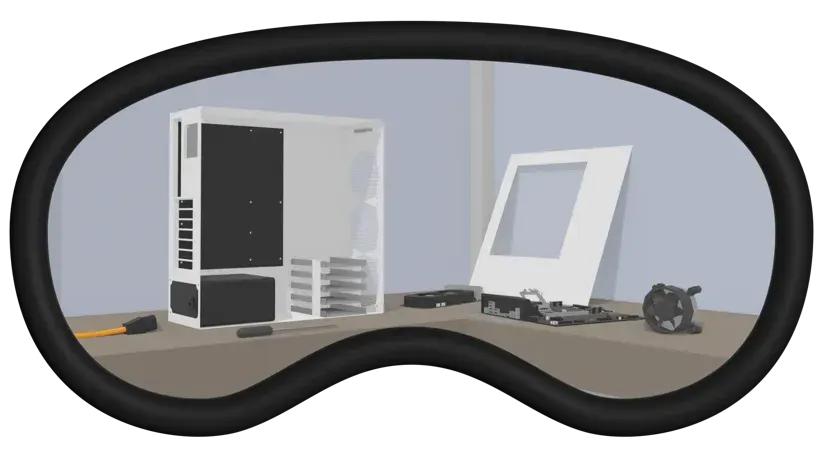
Build a desktop PC step by step, place components and connect cables in a virtual practice environment.
Repeat actions, discuss choices and work at a suitable pace. The module is available in Dutch, English and German.
Space to explore, act and repeat
Active learning in VR
Students interact with virtual components and practise the actions involved in building a desktop PC.
Guided by the teacher
Use the experience to discuss component choices, observe practical actions and reflect on the assembly process together.
Room to make mistakes
Students can repeat actions without damaging physical PC components during the virtual exercise.
Explore PC components
Practise selecting and placing components and understand how the parts connect within a desktop PC.
Repeat without replacing parts
The virtual environment can be reused for practice before students work with physical equipment.
Connect theory and practice
Pair VR activities with classroom explanation and practical work so that students can relate each step to real hardware.
A practical addition to your lessons
Virtual TechLab complements technical and IT education. It provides a repeatable setting for exploring PC assembly, not a replacement for teachers or practical assessment with real equipment.
Choose a clear learning goal, guide the student through the relevant steps and discuss what they would do when building a physical PC.
Explore Virtual TechLab
Would you like to see how Virtual TechLab could fit your course? Contact us to discuss a demonstration, current availability and a suitable headset setup.
Compatibility should be checked for the headset model and configuration you intend to use.
Discuss use in your organisation
Tell us about your students, course and equipment. We can discuss licensing and implementation options and prepare a quotation for your setting.
We got it.
Thank you for contacting us.
We’ll get back to you as soon as possible.
Let’s explore your learning goals
Get in touch to discuss Virtual TechLab and how guided VR practice could complement your technical lessons.